Delegate the work.Keep the decisions.
Hivant is an AI management team for YouTube creators. Agents that remember your work keep up with sponsorship email, follow-ups and your schedule, and show you anything important before it goes out.
Pro $500/mo · Invitations through the closed beta
What the team did today
5 handled · 4 waiting for you
Your team
Add the agents you need and they say hello first. Each one keeps up with its own work and asks first about the four things above.

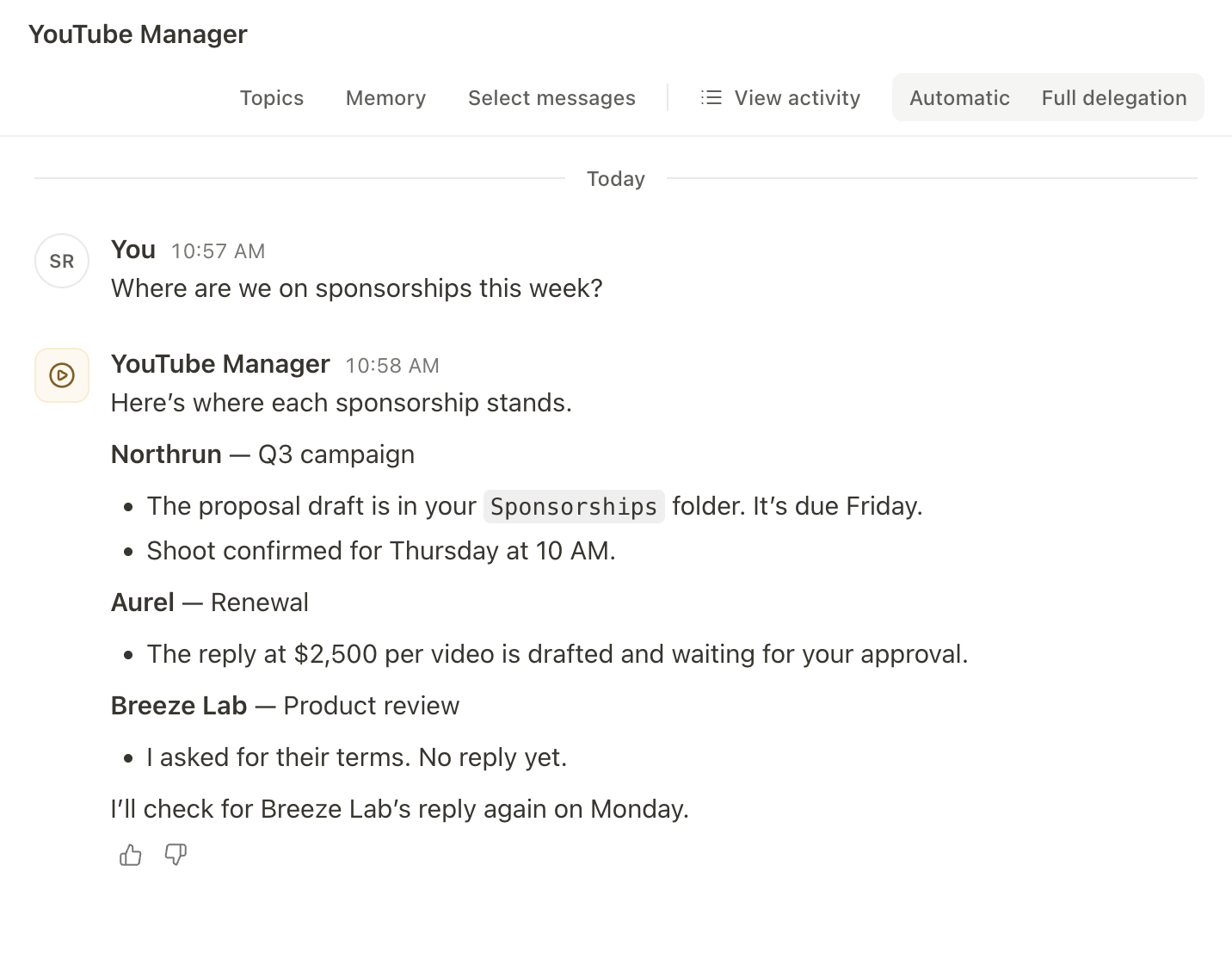
Sorts sponsorship email, drafts replies, keeps your shoot schedule and writes sponsorship proposals.
Ask it like this
- “Sort today’s email”
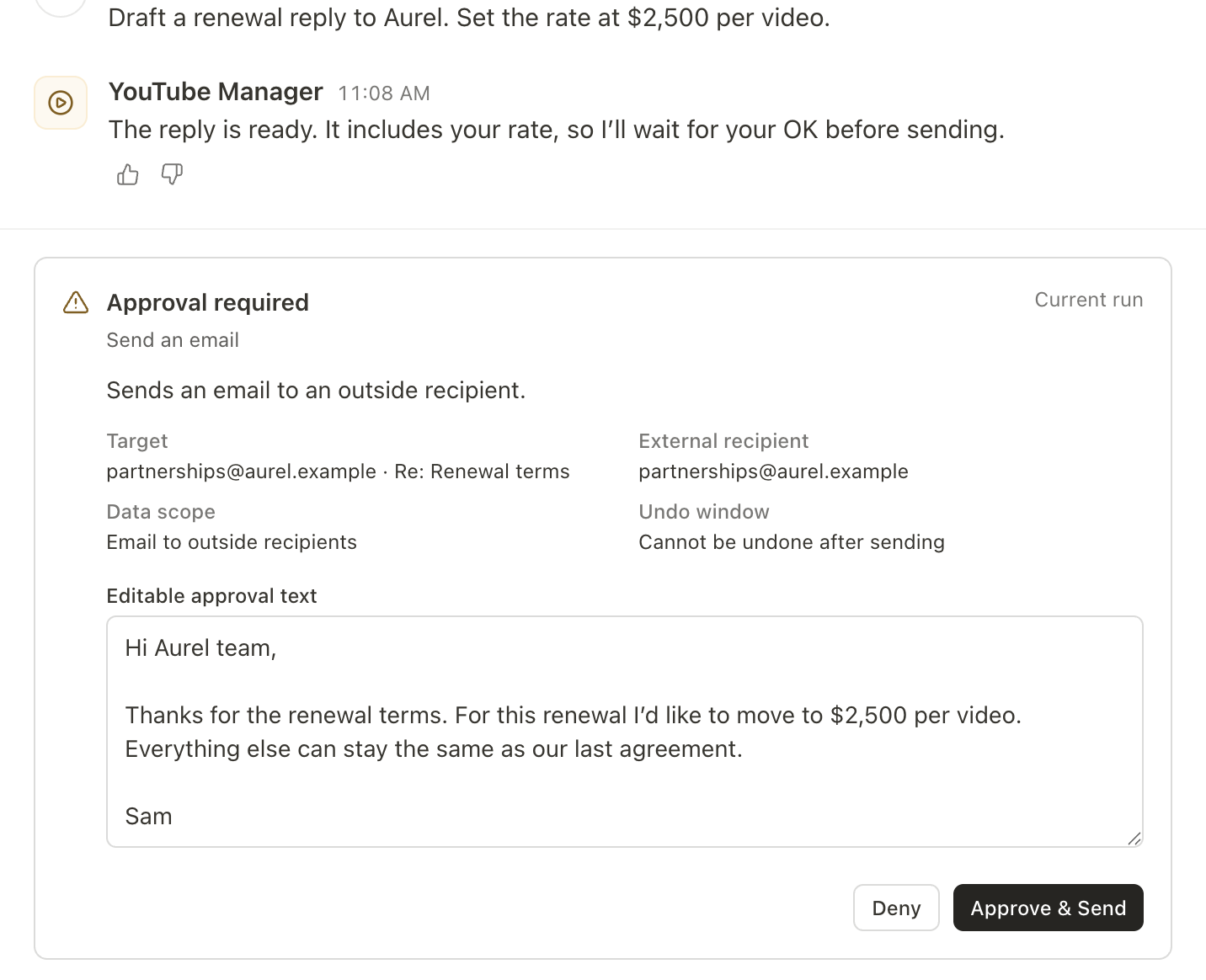
- “Draft a renewal reply to Aurel. Set the rate at $2,500 per video.”

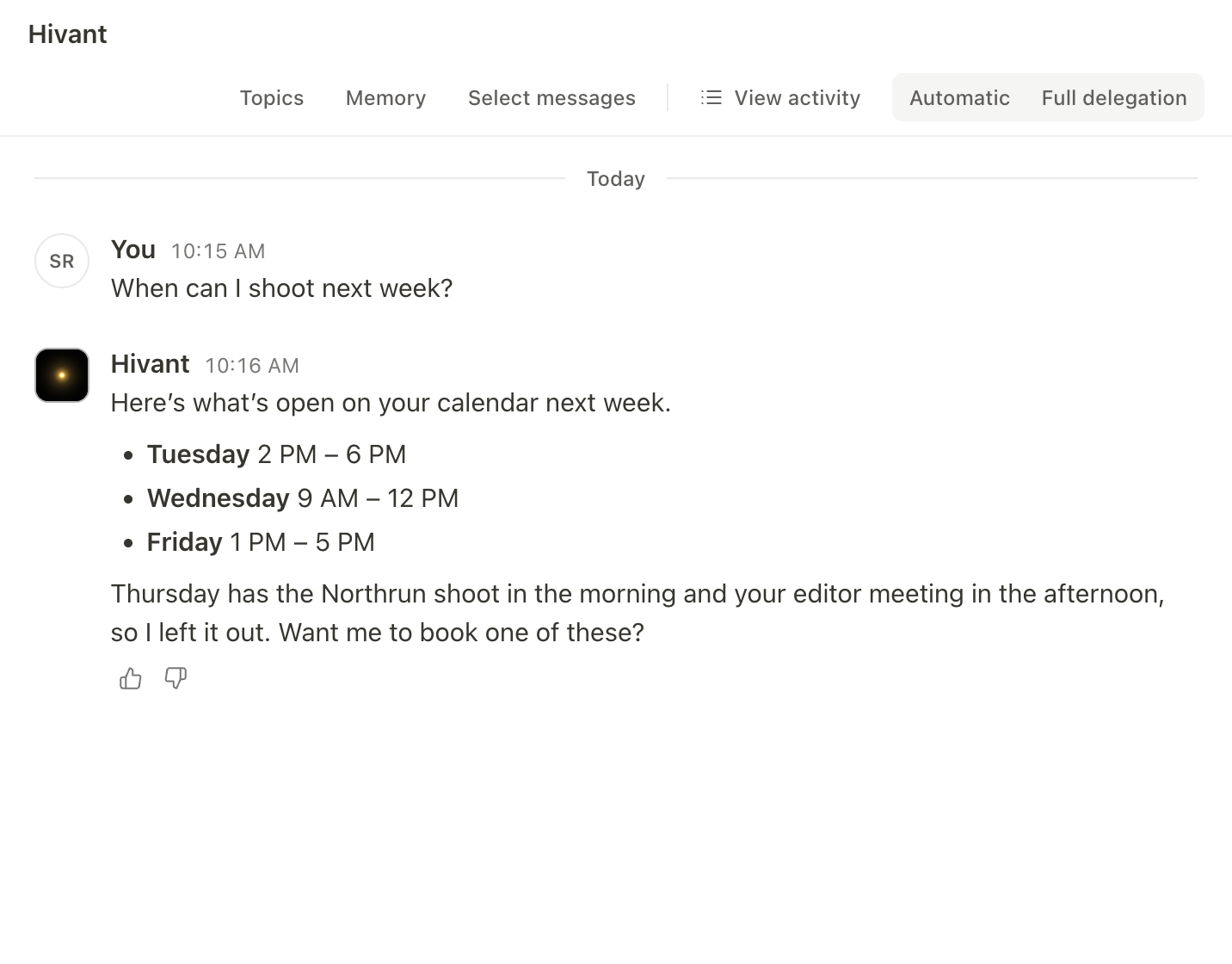
Helps with the daily things: organizing and summarizing files, checking email and booking time.
Ask it like this
- “When can I film next week?”

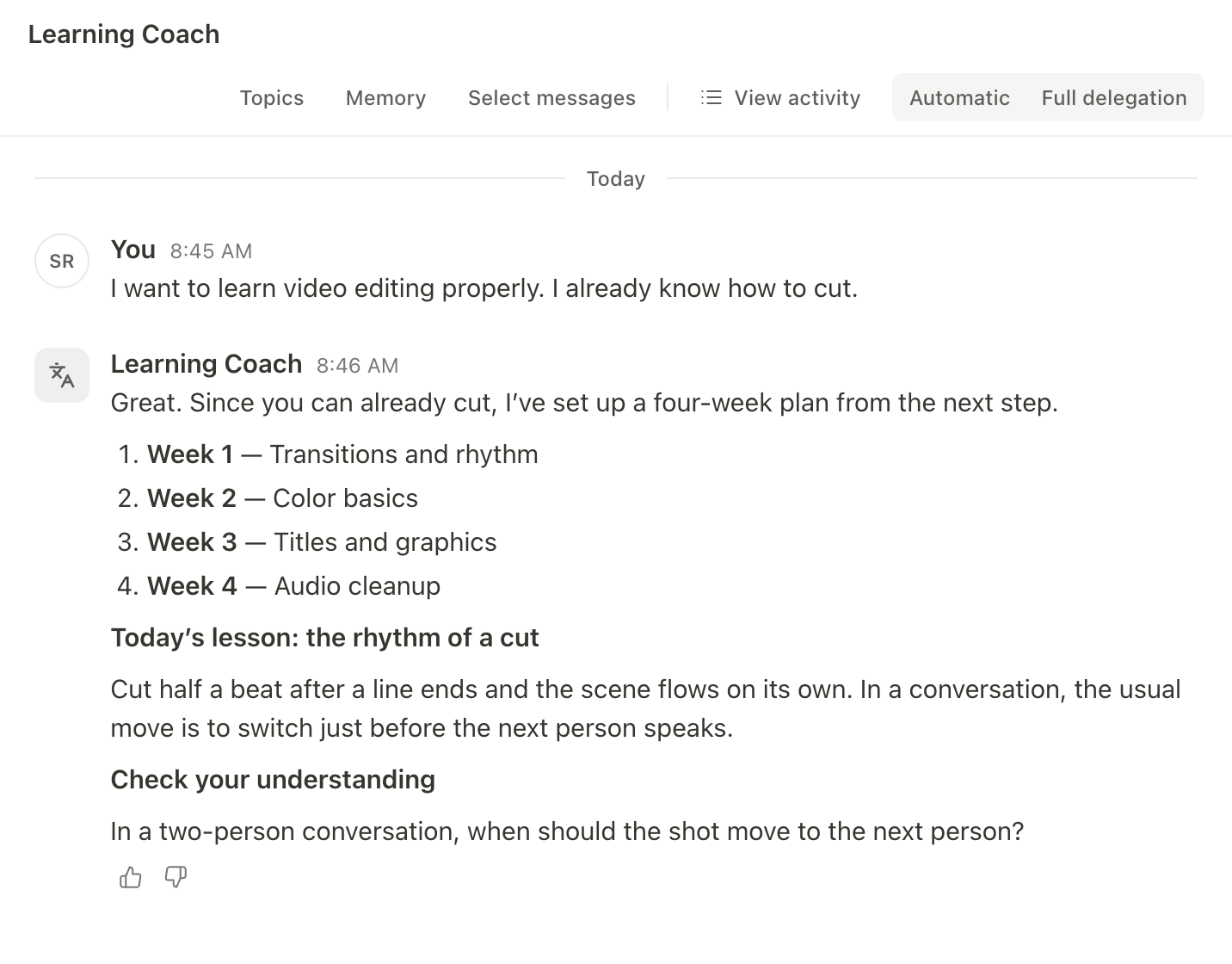
Breaks what you want to learn into a small plan, checks your understanding from your answers and keeps track of what to review.
Ask it like this
- “Make me a plan to learn video editing”

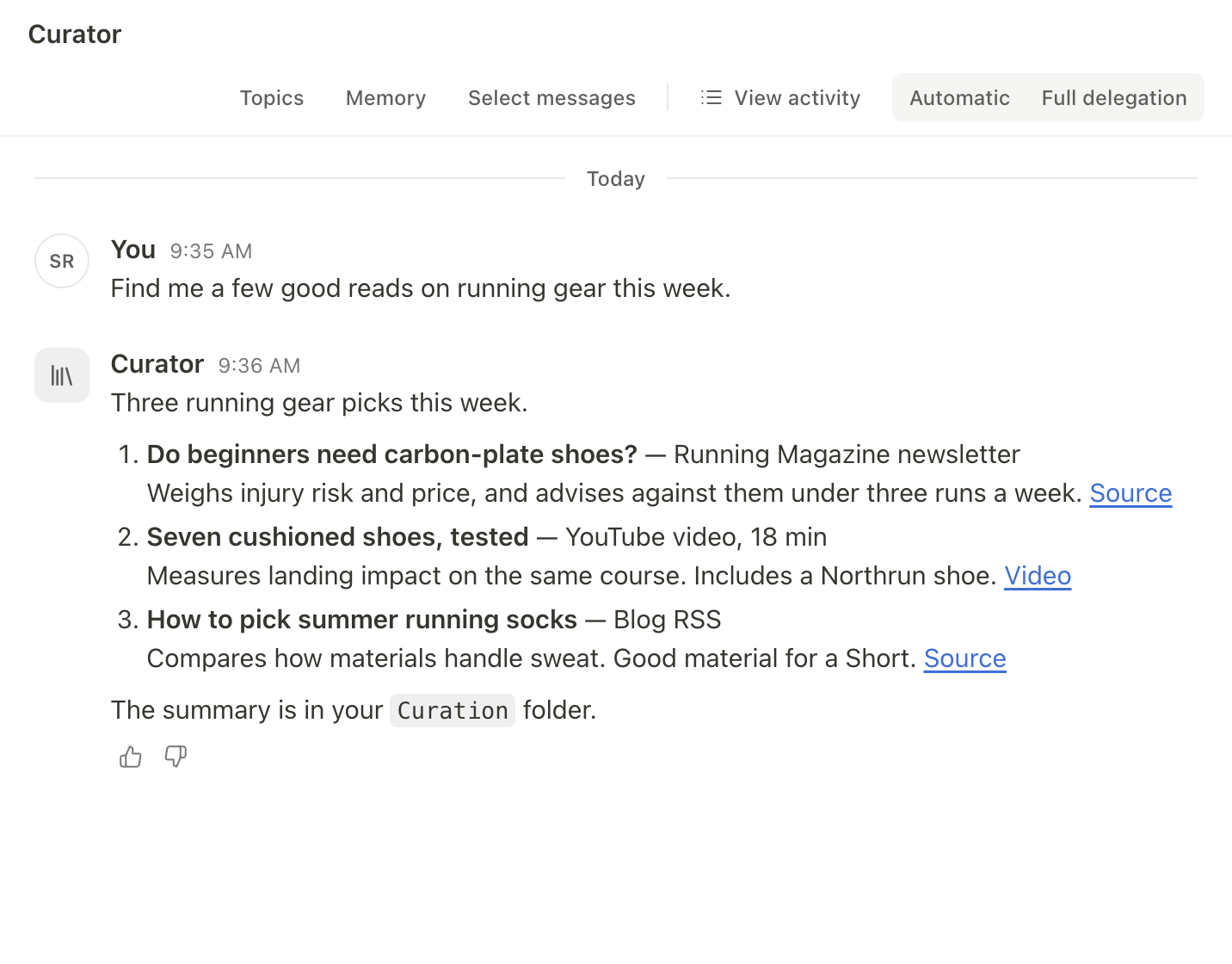
Picks useful material from RSS feeds, newsletters and YouTube videos you send, and summarizes it with links to the source.
Ask it like this
- “Collect what’s worth reading about running gear”


Real email from day one
Add YouTube Manager to your team and you start on real work, not a tutorial.
It says hello first
It introduces its job and tells you what it needs to get started.
Connect Google
Allow access on Google’s own screen, and it can see your email and calendar from then on.
Look at one real offer together
It finds a real sponsorship offer from the last 30 days and tells you who sent it and what to check before replying. If there is none, it says so and looks again later.

From sponsorship email to reply
Here is a day with YouTube Manager, in the real app.
An example with fictional brands and data.
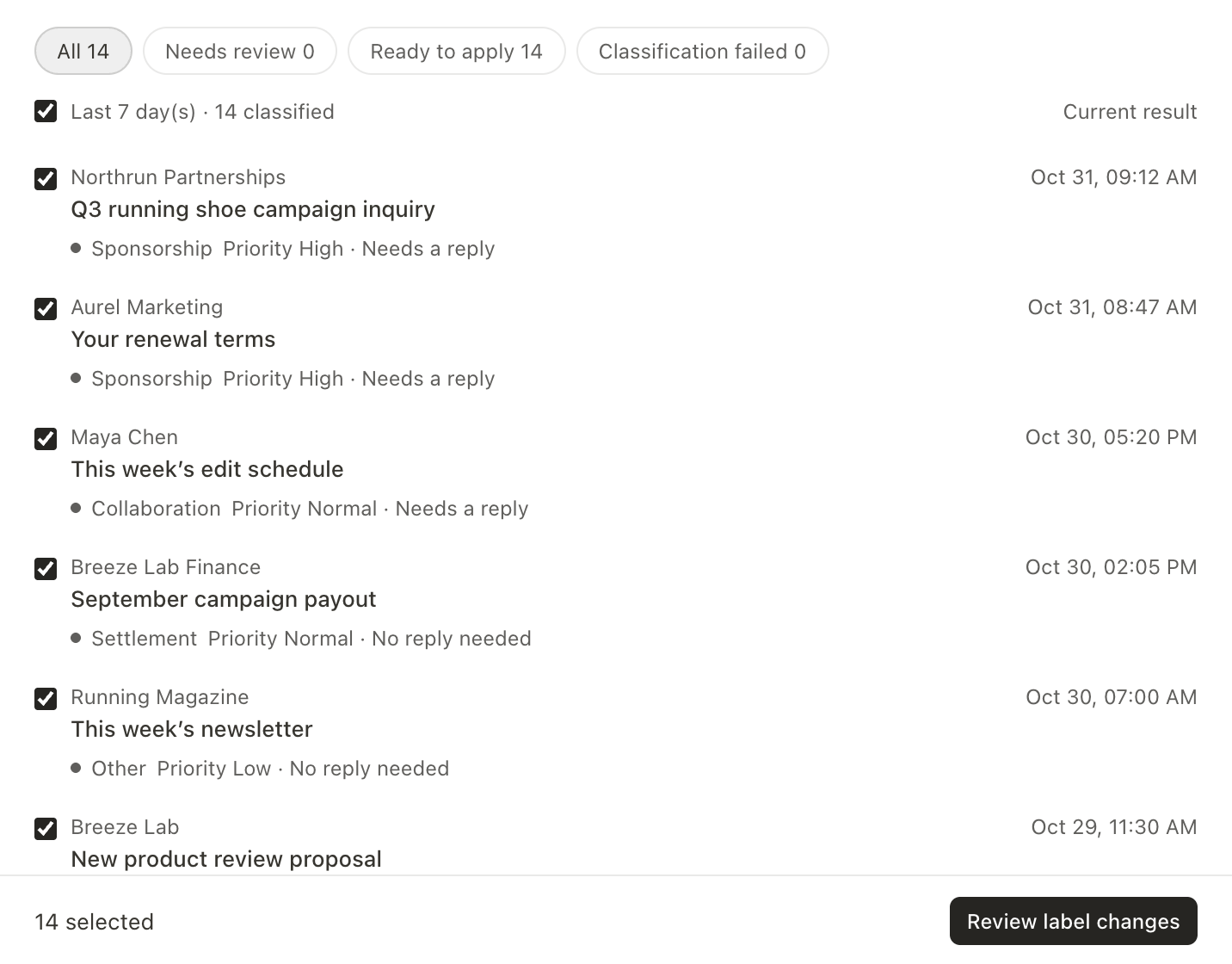
Sort the inbox
The Email app sorts mail into sponsorships, collaborations, payments and everything else. You can change the categories, and only the labels you review are added to Gmail.
Draft the proposal
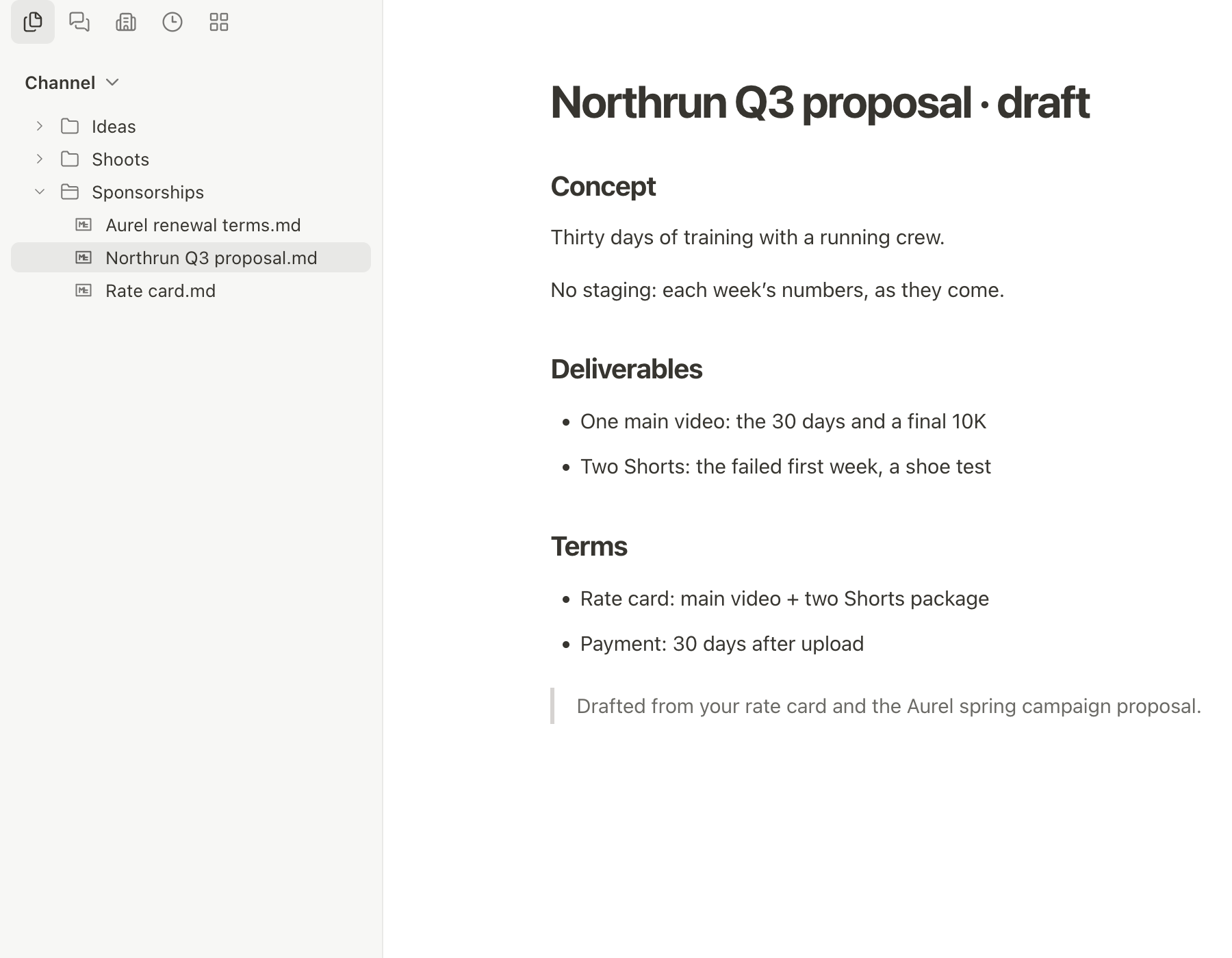
Ask for a sponsorship proposal and it saves a draft in your folder, ready for you to edit.
Review, then send
A reply that mentions your rate shows up as an approval card first. Edit the wording, approve it, and only then does it go out.


A team that gets to know you
What you tell them about your work and preferences carries over to the next conversation. You can see what they remember, and change or delete it at any time.
- Each agent keeps notes from your conversations.
- Your intro and contact hours live in About me, which every agent reads.
- You can pause memory or have an agent forget something.

Your working files stay on your computer
Hivant works in a folder on your computer. Proposals and notes are saved as ordinary files, so they open in your other apps too.
- You connect Gmail and Google Calendar by signing in on Google’s own screen. Hivant never sees your password.
- Recurring work, like a morning inbox summary, can be scheduled as a routine.
- Routines you set up in a YouTube Manager or Hivant DM run even when your computer is off. Others run while the app is open, and anything missed runs once the next time you open it.

Start with Pro
Creators start on Pro. For teams and organizations, we set things up together after a call.
ProPublic plan
$500/mo · billed monthly
For YouTube creators, solo or with a team.
- Everything in YouTube Manager
- One-on-one setup to get started
- Hivant, Learning Coach and Curator included
- The Email app, plus Gmail and Google Calendar connections
- 50,000 AI credits included each month
- Direct support from the founder
Studio
$1,000/mo and up
For creator businesses and their operating teams.
- Everything in Pro
- Scope and permissions set to your team
- Quoted after a call
Enterprise
Custom
For organizations that need admin controls and a security review.
- Annual contract
- Admin controls and security review
- Dedicated support terms
Pro is billed monthly only. Extra credits are 100 per $1 when you need them. Studio and Enterprise are quoted after a call.
Questions
What happens when my computer is off?
YouTube Manager and Hivant still answer your DMs. Turn on Working rhythm and they check your email and calendar and let you know what matters. Work that needs files on your computer, and work for other agents, happens while the app is open.
Will it send email without asking?
On Automatic, a new email thread and any reply that mentions money or accepts terms always waits for your OK. Add “show me before you send” when you hand over a task, and every email in that task waits for you.
What if it gets something wrong?
Agents make mistakes. You get work back as a draft first, and anything important can be edited or denied when it asks for approval.
Where are my files stored?
Working files are saved in the folder you choose on your computer. Conversations, approval records and memory are stored in your Hivant account.
What computers does it run on?
The beta runs on Mac. A Windows app is on the way, and there is no mobile app yet.
What files can I show an agent?
Attach PDFs, images and text files in a DM and the agent can read them. Word and Excel files can’t be read yet.
What happens when I run out of credits?
Pro includes 50,000 credits each month. When they run out the app tells you, and you can add more whenever you like. You are never charged extra automatically.
What happens if I cancel?
You keep Pro until the end of the period you paid for. The seller name at checkout may show as Floabit, a payment account run by the same operator.
What happens after I apply?
We review each application and email invitations to the creators we select. Applying does not guarantee access.
A team creatorscan trust
We’re inviting a small group of YouTube creators and their teams. Tell us where to reach you and which YouTube channel you run.